Install an image to eMMC
The SoC TH1520 used on Meles supports booting from SD Card and eMMC. This chapter introduces how to flash the system to your eMMC module.
Requirements
- Meles and Type C Cable
- SPI Nor Flash with Bootloader, soldered on Meles
- eMMC module larger than 16GB
- A PC/Laptop/VM running Ubuntu
Before starting to flash, please make sure that the correct firmware is flashed into the SPI Nor Flash. If you don't know how to flash the firmware into the SPI Nor Flash, please refer to the Install an image to SPI Nor Flash section.
Download images and tools
Before flashing the image to the eMMC, you need to prepare the fastboot utility and the corresponding image file.
Run the following command in Ubuntu to install fastboot:
sudo apt-get install android-tools-adb
sudo apt-get install fastboot
In addition, you need to download the following image file
- u-boot-with-spl-meles.bin 或 u-boot-with-spl-meles-4g.bin
- boot-meles-xxxx_xxxx.ext4
- root-meles-xxxx_xxxx.ext4
The first item u-boot image needs to be selected according to the version of your Meles. If your Meles is the 8GB version, you need to download u-boot-with-spl-meles.bin. If your Meles is the 4GB version, download u-boot-with-spl-meles-4g.bin. These files can be found in the Official Image section.
Start to write
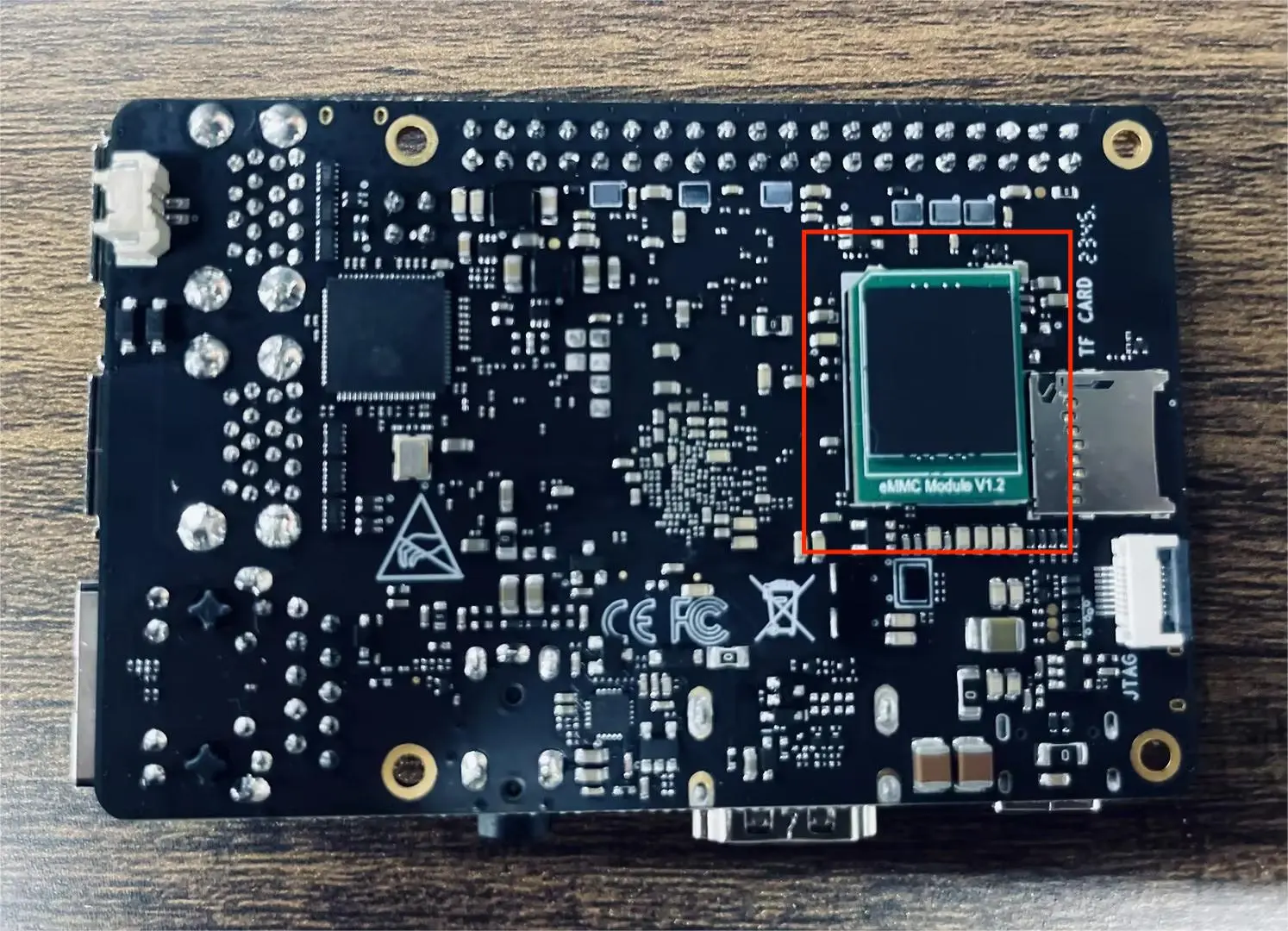
First, insert the eMMC card into the slot on the back of Meles.
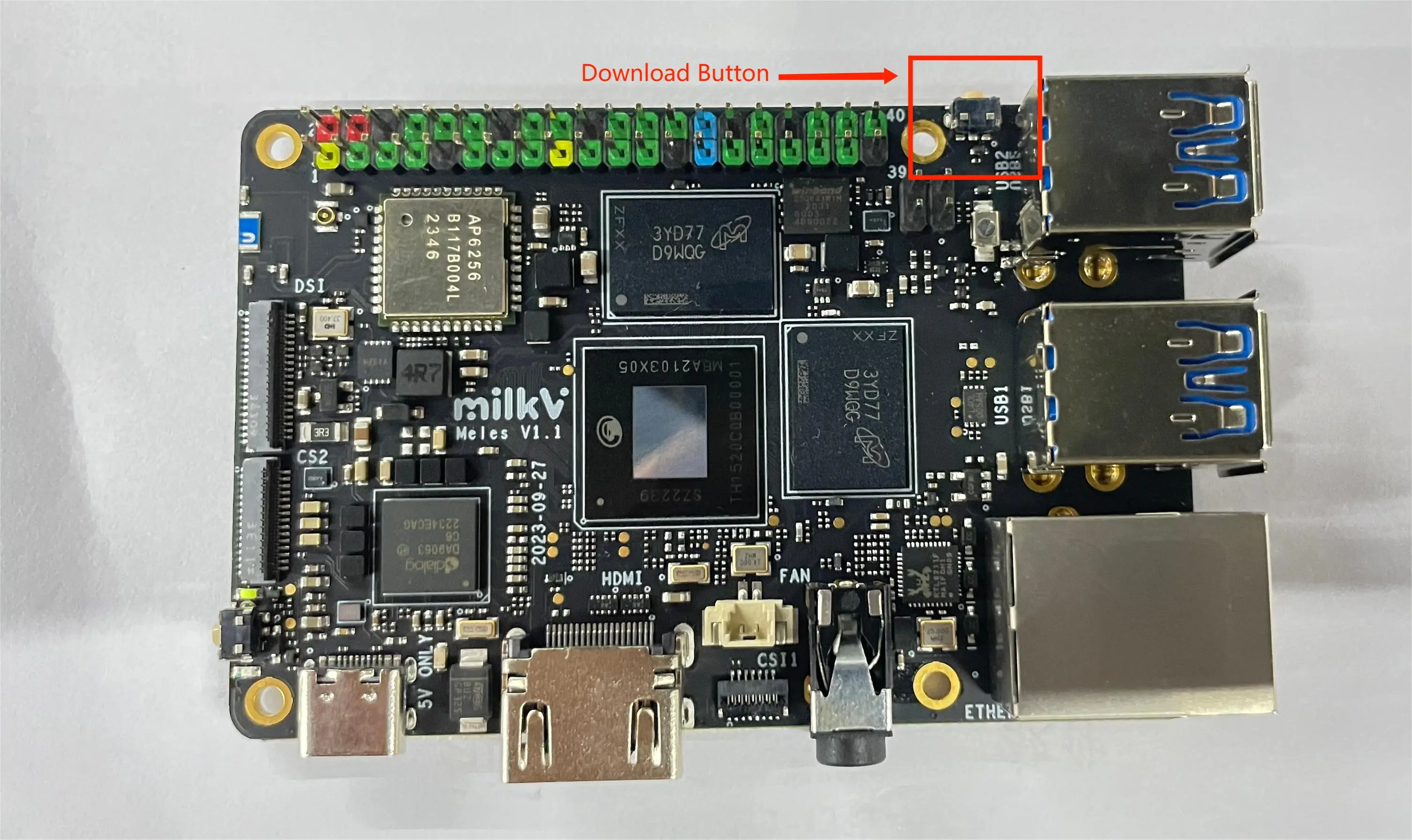
Then perform the following steps to put Meles into download mode:
- Press and hold the Meles download button
- Unplug and replug the Type-C cable once
- Release the Download button
Execute the following command in Ubuntu to view the device. Normally there will be a second line of output:
$ lsusb | grep T-HEAD
Bus 001 Device 045: ID 2345:7654 T-HEAD USB download gadget
At this time, type the sudo fastboot devices command and the fastboot device number will be returned, proving that you can start burning.
Execute the following command to start burning. When executing, please replace the file name in [] with the file name you downloaded.
fastboot flash ram [u-boot-with-spl.bin]
fastboot reboot
#Pause here for 3-5 seconds and wait for Meles to restart
fastboot flash boot [boot-meles-xxxx_xxxx.ext4]
fastboot flash root [root-meles-xxxx_xxxx.ext4]
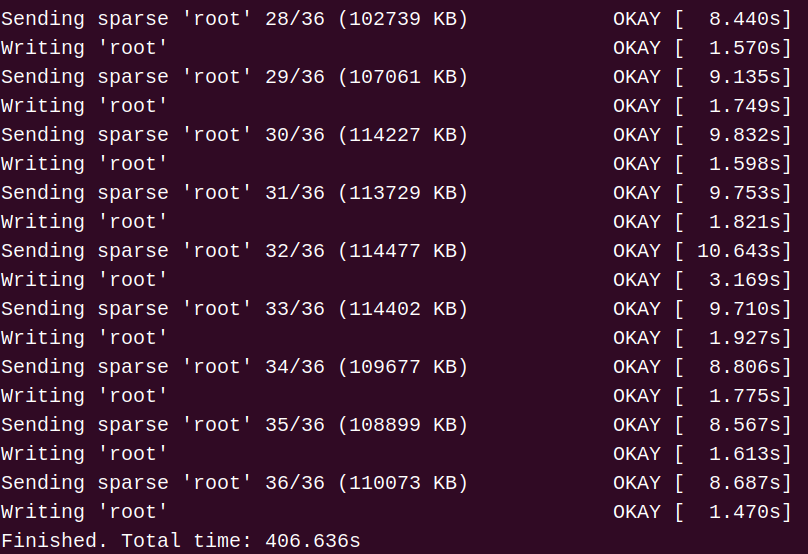
If successful, the display effect is as shown in the figure below.