RTC Settings
On Ubuntu for Titan, the system reads the RTC (real-time clock) at boot to set the system time. With NTP enabled and network synchronization successful, the system automatically writes the corrected time back to the RTC; this may take a few minutes. Manual setup is normally unnecessary. Use the steps below only if the system or RTC time is incorrect and automatic synchronization has not resolved it.
Install the RTC Battery
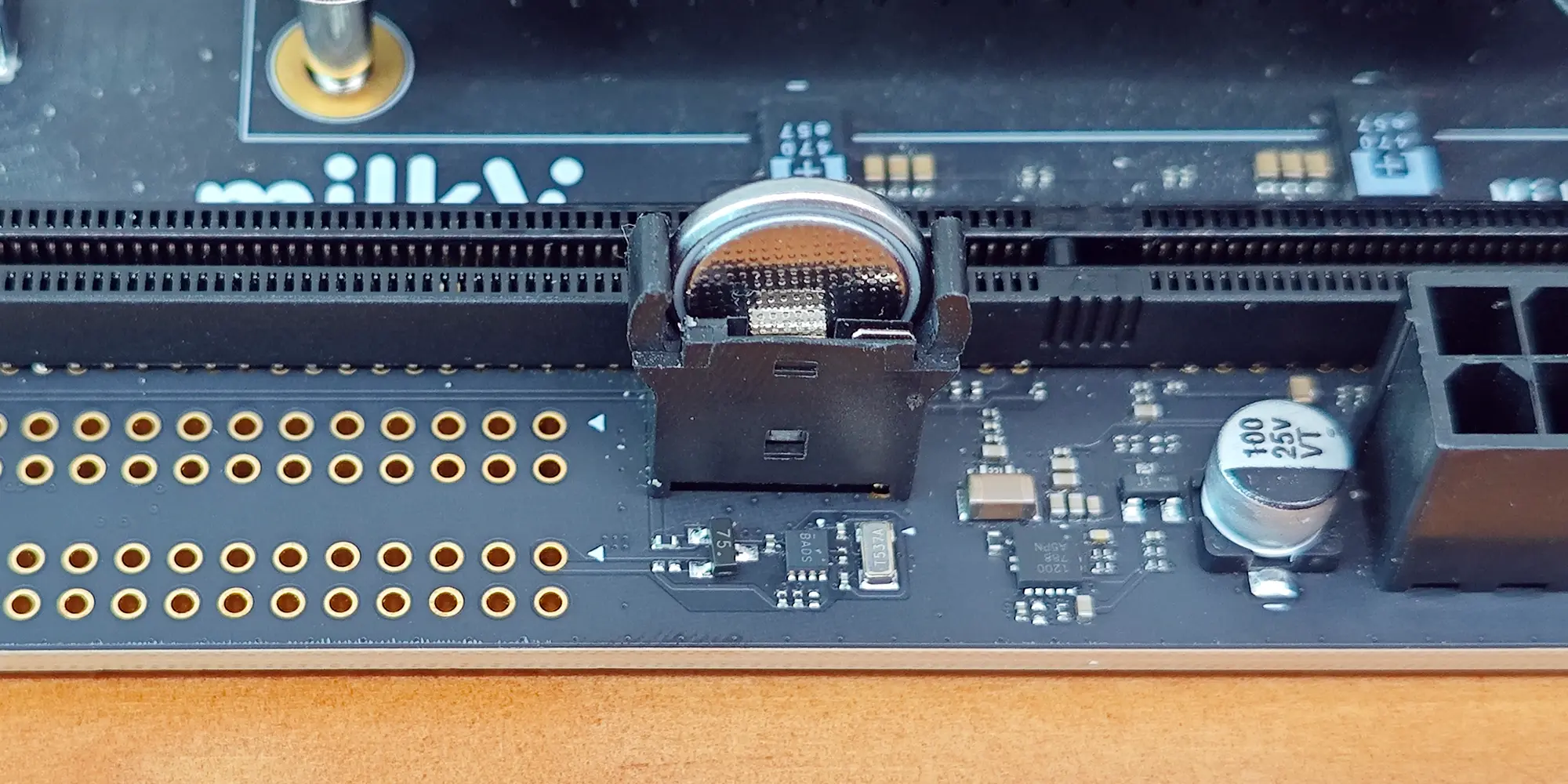
We recommend installing a CR1225 coin cell battery to keep time while board power is disconnected. Shut down the system, disconnect board power, and install the battery in the orientation shown below.
Correct the Time Manually
Check the system and RTC time:
date
sudo hwclock --show --rtc /dev/rtc0 --utc
An obviously incorrect date, or Invalid argument when reading the RTC with sudo, may indicate that the RTC has not been initialized or has lost its time after power loss. Follow the steps below to correct it. Use sudo when reading the RTC to avoid mistaking a permission error for an RTC fault.
With a network connection, enable automatic synchronization and wait for System clock synchronized: yes:
sudo timedatectl set-ntp true
timedatectl status
Without a network connection, set the system time manually. Replace the example with the actual current UTC date and time:
sudo timedatectl set-ntp false
sudo date --utc --set='2026-11-04 06:00:00'
Once the system time is correct, write it to the RTC immediately and read it back:
sudo hwclock --systohc --rtc /dev/rtc0 --utc
sudo hwclock --show --rtc /dev/rtc0 --utc
Read the RTC again after a few seconds to check that it advances. With the battery installed, you can also shut down, disconnect board power for a while, then boot without a network connection to check time retention. If the RTC still cannot be read or does not advance after setting the time, contact technical support.
After offline correction, run sudo timedatectl set-ntp true to restore automatic network time synchronization if needed.