Common Settings
Use Serial Console
The Jupiter board has a UART debug serial port, which can be used to view the system startup log, or to log in to the console after the system starts and execute some terminal commands.
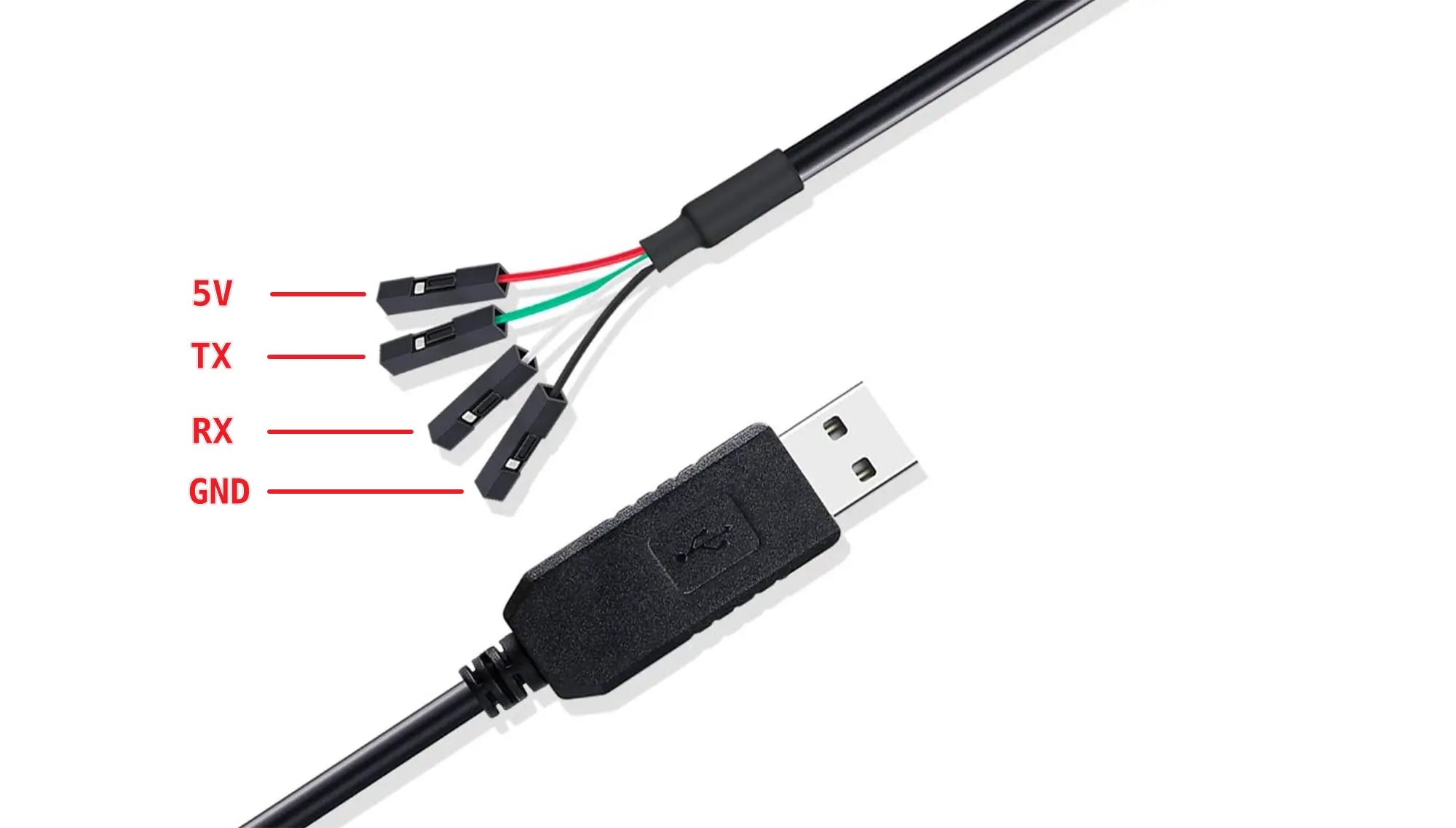
USB to TTL serial cable
The pin definitions of common USB to TTL serial cables are as follows:
Connection
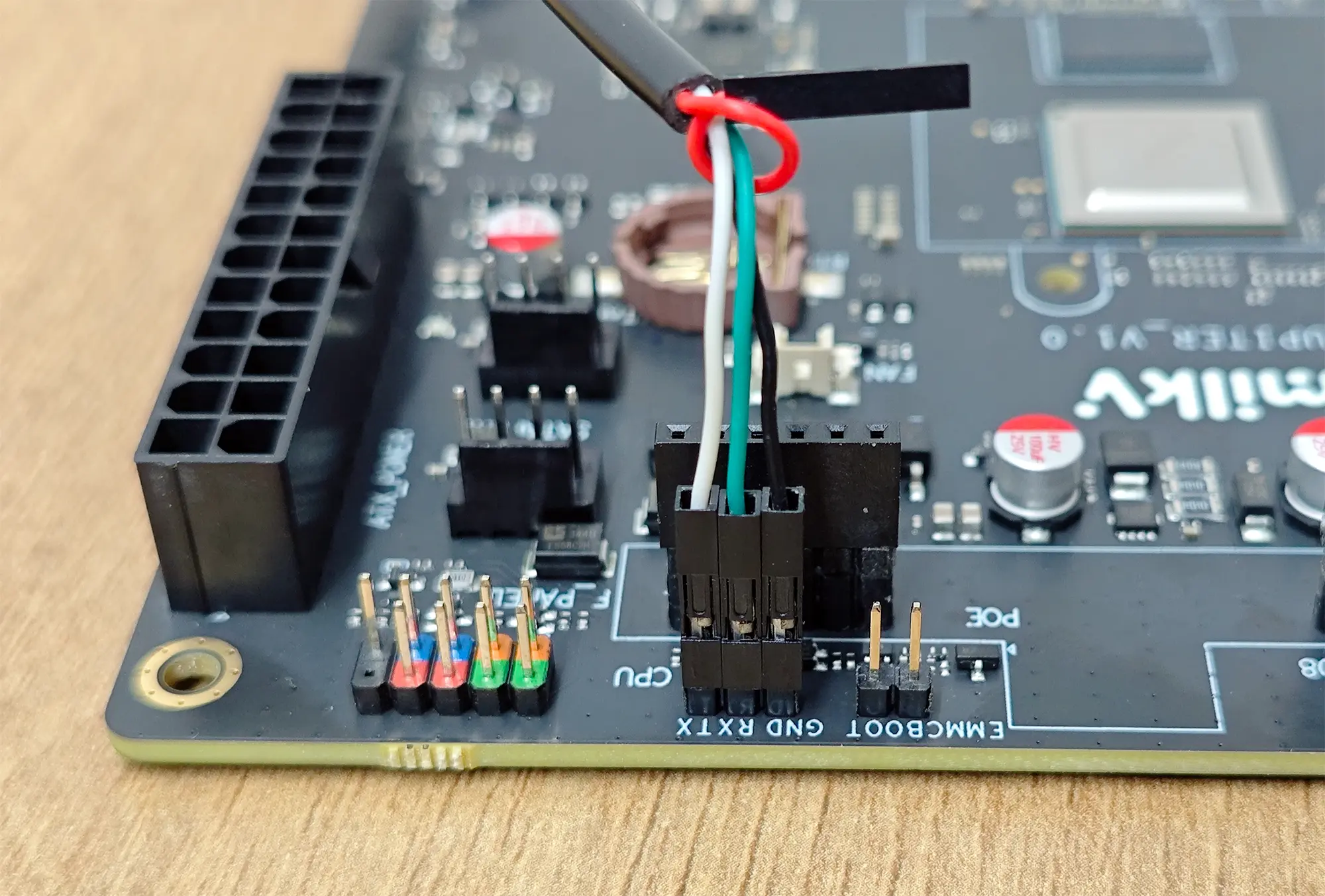
The serial port level is 3.3V, as shown in the figure below, connect the USB to TTL serial port cable, and do not connect the red wire.
| Milk-V Jupiter | <---> | USB to TTL |
|---|---|---|
| GND | <---> | Black wire |
| RX | <---> | Green wire (TX) |
| TX | <---> | White wire (RX) |
Jupiter's default serial port parameters are as follows:
baudrate: 115200
data bit: 8
stop bit: 1
parity  : none
flow control: none